
Your crypto,
unmistakably yours.
Legereum is a self-custody wallet for Bitcoin, Ethereum, Solana, BNB and the networks that matter. One vault, every chain, every device — keys encrypted on your phone, never on a server.
- Chains
- 7+
- Custody
- 100%
- Devices
- iOS · Android · Web
Banks make you ask permission. Exchanges ask for your name, your face, your patience. Legereum asks for none of it. Just a password.
We don't run accounts. We don't hold balances. The vault lives in your pocket, encrypted with a key only you know.
Built for Bitcoin maximalists, Ethereum builders, Solana traders, and the friend you're about to onboard tomorrow.
One interface across iOS, Android and the open web — because the future of money shouldn't depend on an app store's mood.
The essentials, done with intent.
Self-custody by design
Seed phrases encrypted on-device with AES-GCM. No accounts. No custodians.
Every major chain
Bitcoin, Ethereum, Solana, BNB, Polygon, Arbitrum, Base — one home.
Send & receive instantly
Native transfers and ERC-20 / BEP-20 tokens including USDT across networks.
QR for every asset
Each coin has its own receive screen. Share an address in one tap.
Password-locked vault
Locks behind your password. Unlock only when you need to.
USDT, the easy way
Hold USDT on BNB, ETH, Polygon and Arbitrum from a single wallet.
Real screens from the live wallet.
Calm, fast, focused. No dashboards bolted onto dashboards.
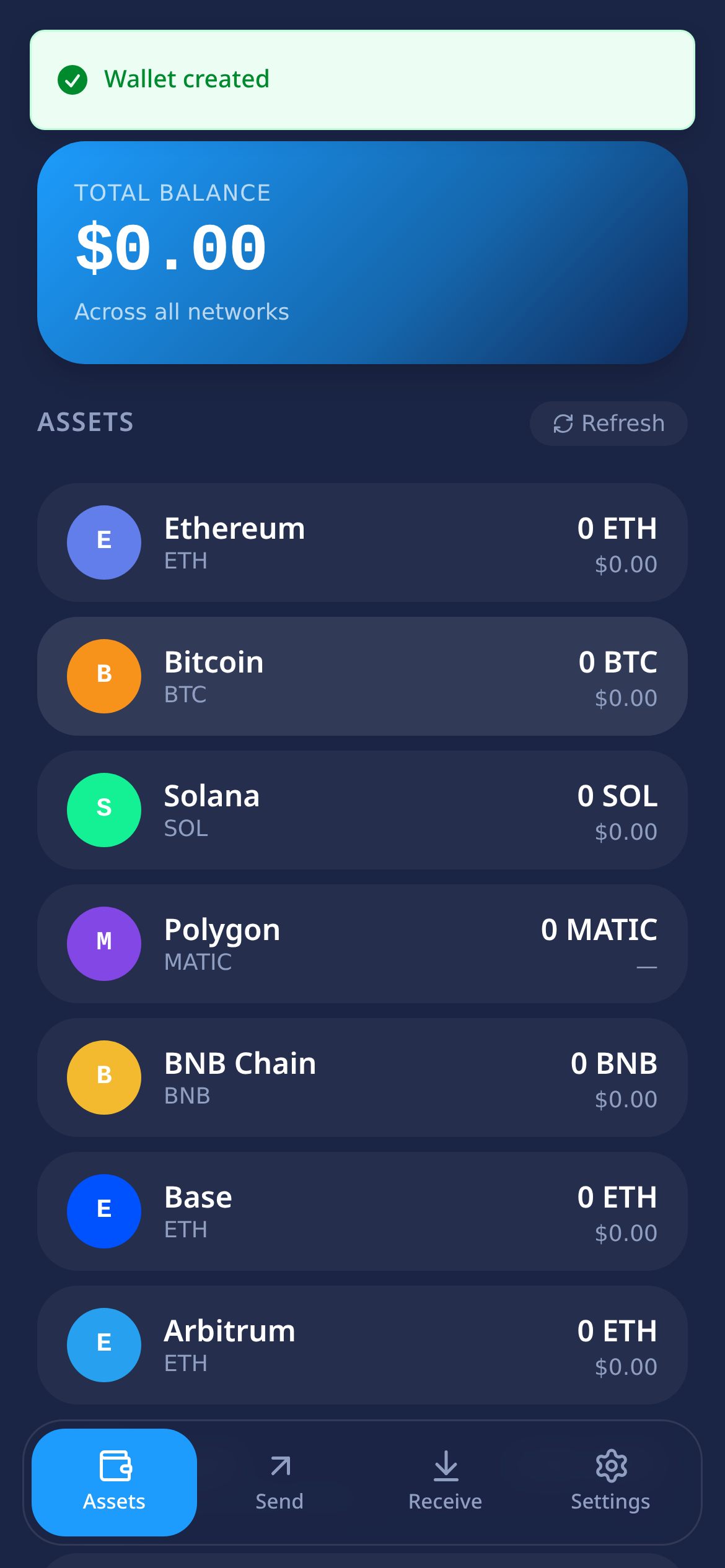
Total balance and every chain — refreshed live.
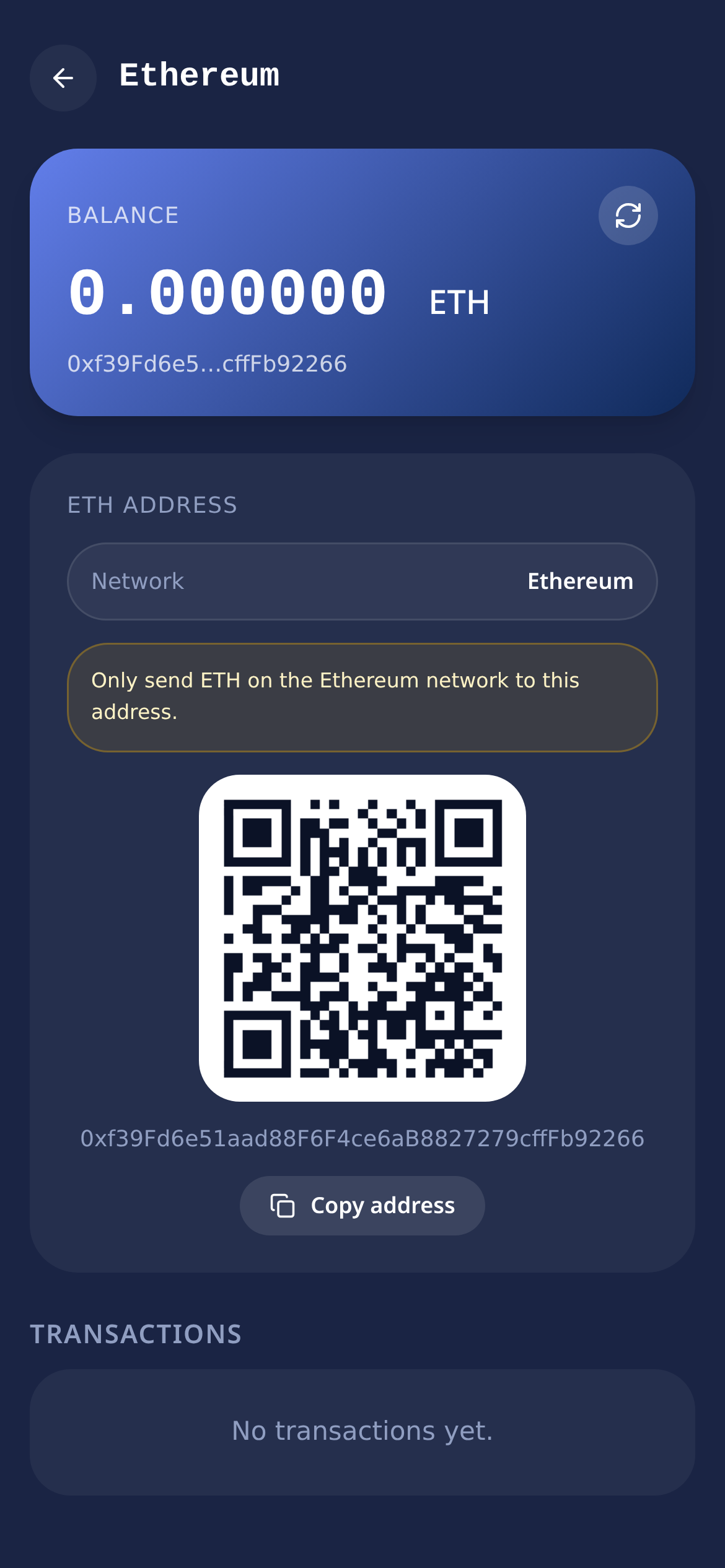
Balance, transactions and receive QR, per coin.
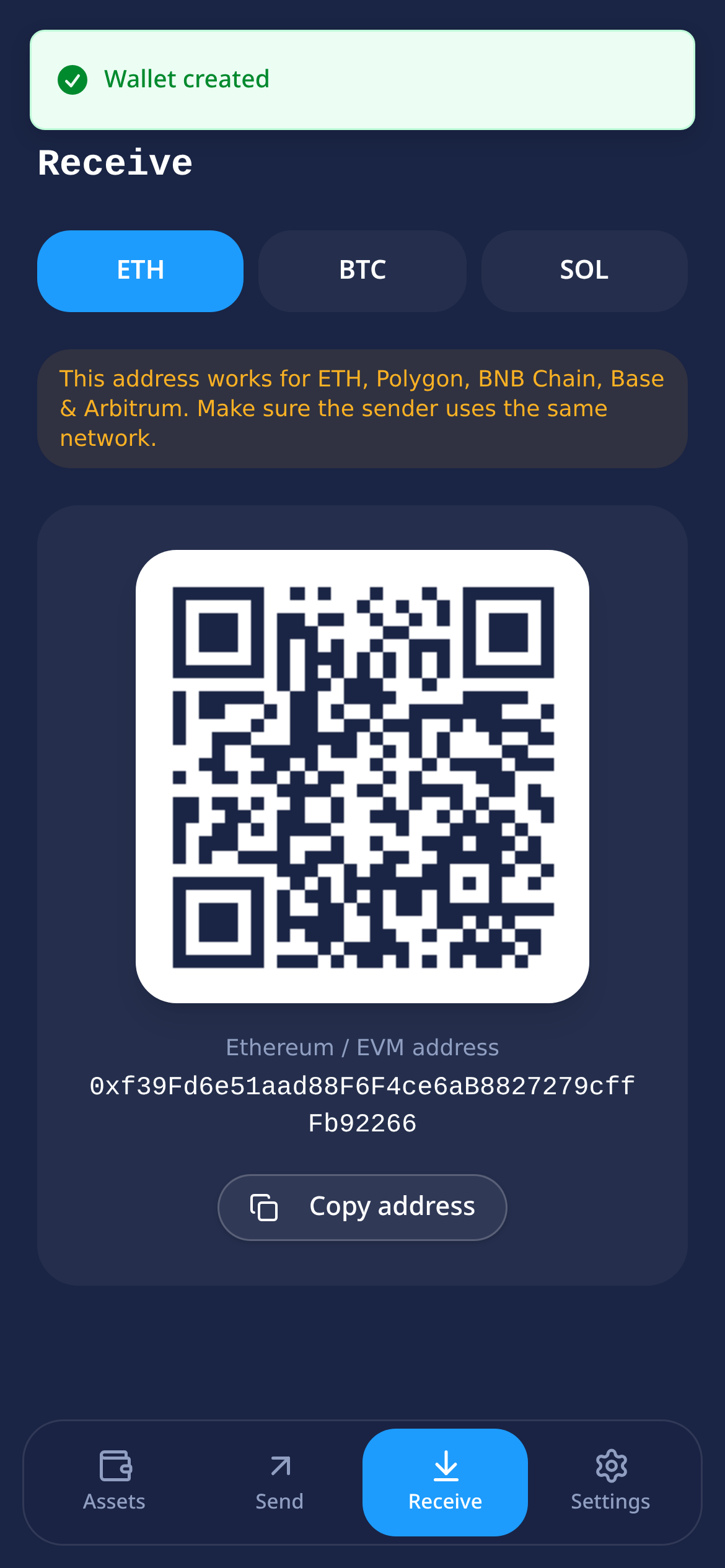
Network-specific QR with copyable address.
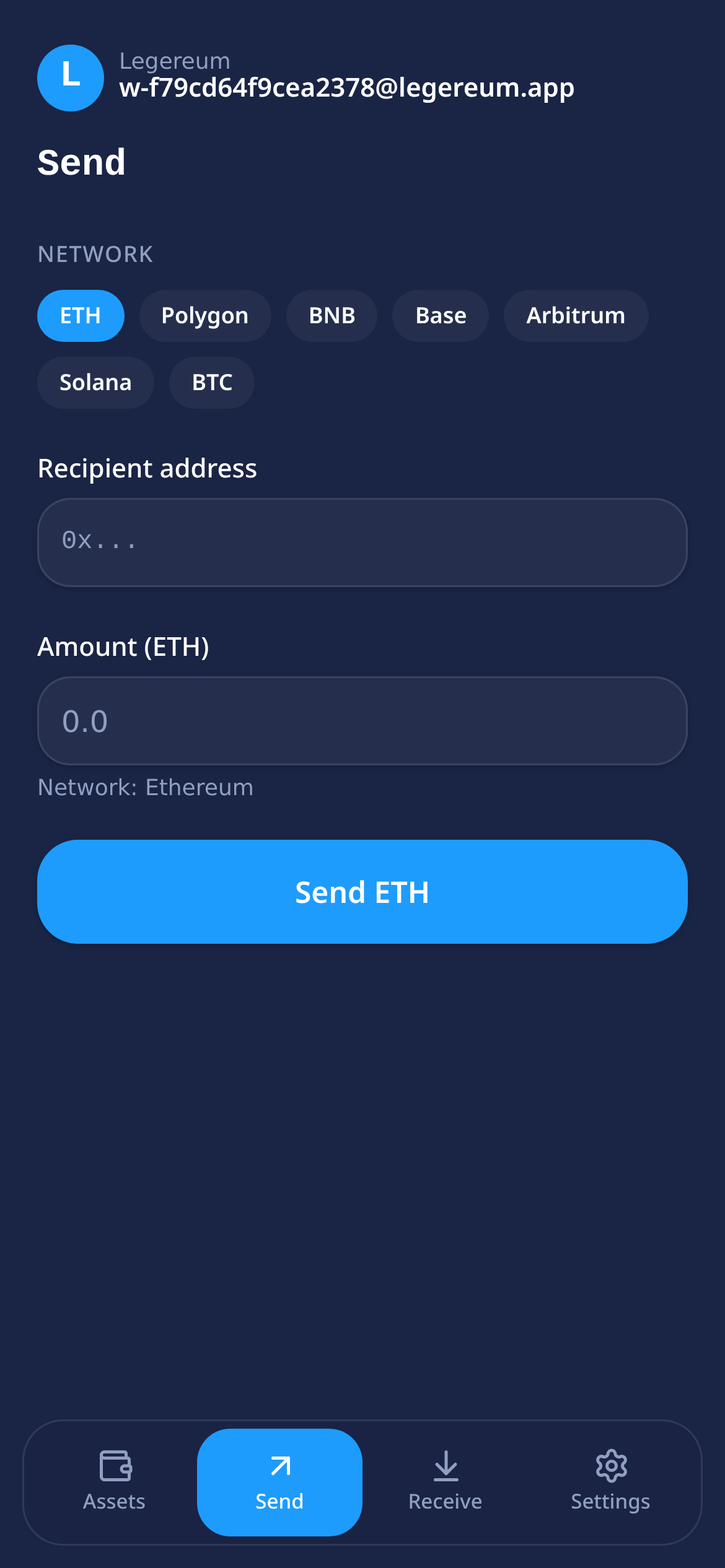
Network, contract, recipient — verified up front.
Pick your door.
Install in Safari
Add Legereum to your Home Screen for a full-screen app experience.
Open in browser
No download. Encrypted vault stays on your device.
Install on iPhone in 30 seconds.
The iOS version runs as a Progressive Web App — no App Store, no waiting, no compromises. Your encrypted vault never leaves your device.
- 01Open in Safari
Visit legereum.org in Safari on iPhone (other browsers can't install web apps on iOS).
- 02Tap Share
It's the square with an arrow at the bottom of the screen.
- 03Add to Home Screen
Scroll the share sheet and choose “Add to Home Screen”, then tap Add.
- 04Launch Legereum
The icon appears on your Home Screen and opens full-screen.